When a business fact changes, what should marketing update?
A support promise can change on your website and survive for months in an old PDF. Trace the wording through sales, search and your AI tools.
Imagine a software company promises a support reply within four hours. On 1 December, the product owner approves a move to next-business-day replies from 1 January. Someone edits the pricing page that afternoon and closes the ticket. For the rest of December, even the updated page is wrong.
In January a sales rep might still send the old PDF. The four-hour promise could survive in a CRM snippet they paste into an email, or in an assistant that searches last quarter’s FAQ. A date on the pricing page tells you very little about those copies.
Keep three entries for each change. Record the wording the owner approved and when it takes effect. Record which destinations received it. Then record what a buyer or colleague actually saw when you checked.
Who approved which wording, and when does it take effect?
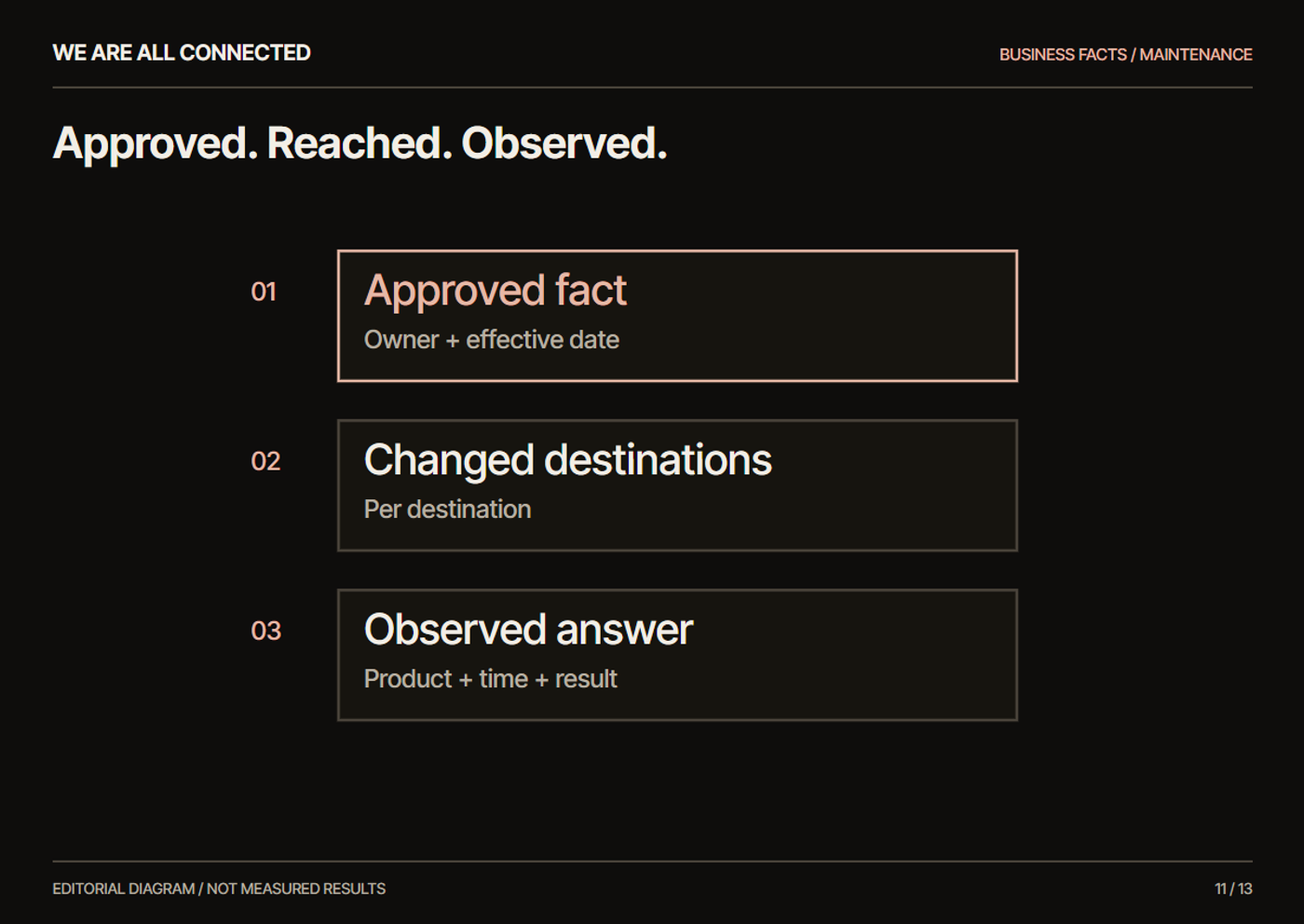
Start with the owner, the authoritative source, the old and new wording, the audience, and a reference to the approval. If two records disagree, get the owner to settle which one applies before anybody changes the page.
The W3C provenance model distinguishes the source of a fact from responsibility for an activity. A support manager might supply a response-time figure. A commercial director might approve a change to the promise. A web editor might publish it. Give each person the right job.
Keep the approval date and the date the change takes effect in separate columns. XTDB’s explanation of time distinguishes the date a system recorded something from the date it was true. It works both ways. An agreed change can take effect next month, and you can discover today that a statement was wrong last month.
What should happen to the old wording?
The W3C standard distinguishes a revision from the point at which the earlier information ceases to apply. An old price can be right on a dated invoice and wrong on today’s pricing page. Preserve that history where appropriate and label it clearly.
Classify the change as a correction, future replacement, expiry, withdrawal, or change in permission. A withdrawal may leave no new claim to publish. If a client withdraws permission for a quotation, ask the owner to identify every place it appears and what should happen to each copy.
Where does the claim appear?
Start with the master record. Then check web pages and reusable components, structured data, PDFs, documentation, knowledge-base entries and attachments, search indexes, CRM snippets, and sales notes. Give each destination an owner and a status. Record the places you could not inspect.
HubSpot’s property history shows a changed value, when it changed and the source of the change. Some entries can be restored. To find out whether an old value survives in a sales note, read the note itself.
The public page has a separate timetable. Google says a recrawl can take days or weeks and a request does not guarantee inclusion in search results. Your site can show the right wording while the search index still lags. Google’s timetable applies to Google Search.
How do you check that a knowledge base has caught up?
For each destination, log the update request, confirmation that it finished, and the result of a later search. An accepted request may still be waiting for processing.
In OpenAI’s retrieval service, some file operations run asynchronously. A deleted file can still appear in searches for a short time. Pinecone’s serverless Database API lets an operator compare a write’s sequence number with the one reported by a query to see whether the query reflects the write. Two matching record counts would miss a replacement or an offsetting insertion and deletion.
Microsoft’s Azure AI Search documentation gives a useful deletion example. For Azure Storage sources, deletion detection needs to be in place from the first indexer run. Earlier deletions can leave old documents in search. Resetting and rerunning the indexer does not remove those orphaned documents.
Ask the person who runs each system how they confirm completion and how they would spot an old copy. If there is no way to tell, write “unknown” in that destination’s row.
Who can still see the old version?
Microsoft describes different access checks for different Azure AI Search sources. For indexed SharePoint permissions, some changes reach search during incremental processing. Others need an explicit refresh. A permission change at the source can take time to reach the search result.
Use one authorised test account that should see the current material and one that should be denied. Check the routes people use, including the search interface and any assistant built on it. Record which routes you tested.
The HTTP caching standard explains why a change can miss a copy. A state-changing request can invalidate responses in the caches it passes through. Other caches may never see it. Record which caches you can check and who is responsible for the rest.
What does the assistant actually answer?
In a 2021 study of conflicting evidence, researchers replaced names in passages so the text disagreed with knowledge a model had learnt. Some answers followed the learnt association. The study used benchmark questions and older models. It gives us a reason to check the answer after correcting the source.
OpenAI documents variation in model outputs and changes between model snapshots. Keep a dated record of the prompt, model version, session conditions, account used, retrieved evidence, and answer. Someone can then rerun the same check next month.
Agree the expected response to each test first. For the support example, try these six.
- Ask how quickly support replies.
- Ask the same question in a customer’s own words.
- Ask whether the four-hour promise still applies.
- Ask what applied in December and what applies in January.
- Try an authorised test account that should be denied any restricted material.
- Ask about an adjacent policy that stayed the same.
When a test fails, trace where it went wrong. Did the search bring back the old FAQ? Did the wrong account gain access? Did the model ignore the correct passage? Each calls for a different fix.
What if the correction goes wrong?
Check the recovery process for the system involved. Restoring a deleted Azure blob leaves its last-modified timestamp untouched, so an indexer may miss the recovery. HubSpot’s restore control works for only some property-history changes. Ask the owner to confirm the safe state before restoring an old value.
Read back the corrected destination, repeat the permission check, and ask the same test questions. Close the rows that passed. Give every open row an owner and a review date, including old conversations, exports and third-party caches you could not inspect.
Download the register and try one change
The blank fact-change register (CSV) has one row per fact and destination. Repeat the approved wording and effective dates across the rows. For each destination, record the request, completion evidence and a dated observation. If you start with a single non-sensitive change, you can see where the trail runs out. We have not tested the whole method end to end.
For a final check, let the owner read back the current wording, check the old claim against a current answer, and confirm who can see restricted material. Give each unverified copy a named owner. For more on keeping shared knowledge usable, read the Open Brain Blueprint and the Continuity guide.
Want to make this practical?
Book a call and we will walk through your current stack, what is worth wiring first, and what should wait.
Book a call